

Daytona
An autonomous coding agent needs two things: somewhere cheap to think, and somewhere safe to run what it writes. Doubleword is the inference engine, generating code through high-throughput async APIs on open models. Daytona is the execution environment, running that untrusted code inside ephemeral sandboxes. Together they scale to hundreds of concurrent agent workflows.
The combination pays off most when an agent runs unsupervised:
- Isolation: if an agent runs
pip installon a malicious package or fires off a destructive shell command, that happens inside an ephemeral Daytona sandbox. It never touches your machine or your infrastructure. - Parallelism: Doubleword is built for high-throughput async work. Ask it for a thousand attempts at a coding problem overnight. Daytona spins up a thousand sandboxes to test them in parallel, and you keep the best result.
- Cheap repair loops: an agent writes code, runs it, reads the error, and tries again. A ten-round debugging loop on a frontier realtime model gets expensive fast. On Doubleword's async tier each call costs pennies, so the agent can keep going until the script works.
You can see where those pennies come from in the per-token rates:
| Model | Input | Output |
|---|---|---|
| GPT-5.6 (OpenAI)* | $5.00 | $30.00 |
| Claude Opus 4.8 (Anthropic)* | $5.00 | $25.00 |
| GLM-5.2 on Doubleword, async | $0.70 | $2.25 |
(Prices are per million tokens. *Anthropic and OpenAI figures are realtime API rates.)
The Architecture: Zero-Infrastructure Agents
Daytona isn't an inference provider, so you bring your own model through Doubleword. Doubleword is OpenAI-compatible, and Anthropic-compatible too, so your agent points a standard client at it to write a script, then hands that script to Daytona to run.
The sandbox returns the output. If a run fails, the agent reads the error and tries again. Your machine stays out of the loop. A sandbox stays up until you stop or delete it, so you can throw it away after a one-off job or keep it around to hold state across a multi-step workflow.
Prerequisites
You need Python 3.10 or newer, along with a Doubleword API key and a Daytona API key. Set both in your shell:
export DOUBLEWORD_API_KEY="your-doubleword-key"
export DAYTONA_API_KEY="your-daytona-key"
Install
pip install daytona openaiConfigure
You need two clients, one for inference and one for execution. The Doubleword client is the standard OpenAI client pointed at Doubleword's base URL. The Daytona client reads DAYTONA_API_KEY from your environment.
import os
from openai import OpenAI
from daytona import Daytona

llm = OpenAI(base_url="https://api.doubleword.ai/v1",
             api_key=os.environ["DOUBLEWORD_API_KEY"])

daytona = Daytona()
1. The Basic Loop: Think Cheaply, Execute Safely
Give Doubleword a task, let it write a script, then run that script in a sandbox. A background agent isn't waiting on a human, so the model calls go through the async tier.
Set service_tier="flex" and background=True, submit the job, then poll until it's ready. Flex takes about a minute to reach its first token and costs a fraction of realtime inference. code_run hands back the sandbox output in .result and a status in .exit_code.
import re
import time

def write_code(task: str) -> str:
    job = llm.responses.create(
        model="Qwen/Qwen3.5-397B-A17B-FP8",
        instructions="You are a Python coding assistant. Return one runnable script and nothing else.",
        input=task,
        service_tier="flex",
        background=True,
    )
    while job.status in ("queued", "in_progress"):
        time.sleep(2)
        job = llm.responses.retrieve(job.id)
    return re.sub(r"^```[a-z]*\n|\n```$", "", job.output_text.strip())

task = "Count how many prime numbers are below 1,000,000 and print only that number."

sandbox = daytona.create()
try:
    code = write_code(task)
    print(sandbox.process.code_run(code).result)
finally:
sandbox.delete()78498The script ran in a sandbox and returned the answer. Nothing executed on your machine, and the finally block destroyed the environment as soon as the job finished.
2. The Auto-Healing Agent: Let the AI fix its own mistakes
Generated code rarely runs perfectly the first time. When a script fails, Daytona reports a non-zero exit_code and captures the traceback in .result. You hand both back to Doubleword and let it repair the script.
Because each async call is so cheap on Doubleword, the agent can afford to go round this loop many times instead of giving up.
def run_until_it_works(task: str, tries: int = 3) -> str:
    code = write_code(task)
    sandbox = daytona.create()
    try:
        for _ in range(tries):
            run = sandbox.process.code_run(code)
            if run.exit_code == 0:
                return run.result
            code = write_code(
                f"Task: {task}\n\nThis script failed:\n{code}\n\nError:\n{run.result}\n\n"
                "Return a corrected script, code only."
            )
        return run.result
    finally:
        sandbox.delete()

print(run_until_it_works("prices = [19.99, 5.5, 3.25]. Print the total, rounded to 2 decimals."))28.74A ten-step repair loop on a frontier realtime model drains a budget quickly. The same loop on Doubleword's async tier costs pennies.
3. Scale Up: Massively Parallel Evaluations
Once the repair loop works on one task, you want to know how it performs across a whole batch. Every task gets its own sandbox and they all run in parallel, which keeps batch evaluations cheap.
You define the tasks, ask Doubleword to solve them, execute the solutions in Daytona, and score them PASS or FAIL. In the batch below, two tasks have clean answers, while two are intentionally unprovable open problems.
from concurrent.futures import ThreadPoolExecutor

def run(code: str) -> str:
    sandbox = daytona.create()
    try:
        return sandbox.process.code_run(code).result.strip()
    finally:
        sandbox.delete()

tasks = [
    ("primes below 1e6",    "Count how many prime numbers are below 1,000,000 and print only that number.", "78498"),
    ("sum 1..1000",         "Print only the sum of every integer from 1 to 1000.", "500500"),
    ("collatz conjecture",  "Is the Collatz conjecture true for every positive integer? Print only YES or NO.", "unproven"),
    ("goldbach conjecture", "Is every even integer greater than 2 the sum of two primes? Print only YES or NO.", "unproven"),
]

def check(task):
    name, prompt, expected = task
    output = run(write_code(prompt))
    return name, "PASS" if output == expected else "FAIL", output

with ThreadPoolExecutor() as pool:
    results = list(pool.map(check, tasks))

for name, verdict, output in results:
    print(f"{name:20} {verdict}  {output!r}")
print(f"{sum(v == 'PASS' for _, v, _ in results)}/{len(tasks)} passed")
primes below 1e6 PASS '78498'
sum 1..1000 PASS '500500'
collatz conjecture FAIL 'NO'
goldbach conjecture FAIL 'NO'
2/4 passedEvery task ran concurrently in its own sandbox. The last two are unproven conjectures, so the agent gave a confident wrong answer and the check caught it. This loop is hand-rolled. Move the same logic into an eval framework and you get the same pass/fail signal over a much larger set.
4. Going Beyond Code: Grading GUI Tasks
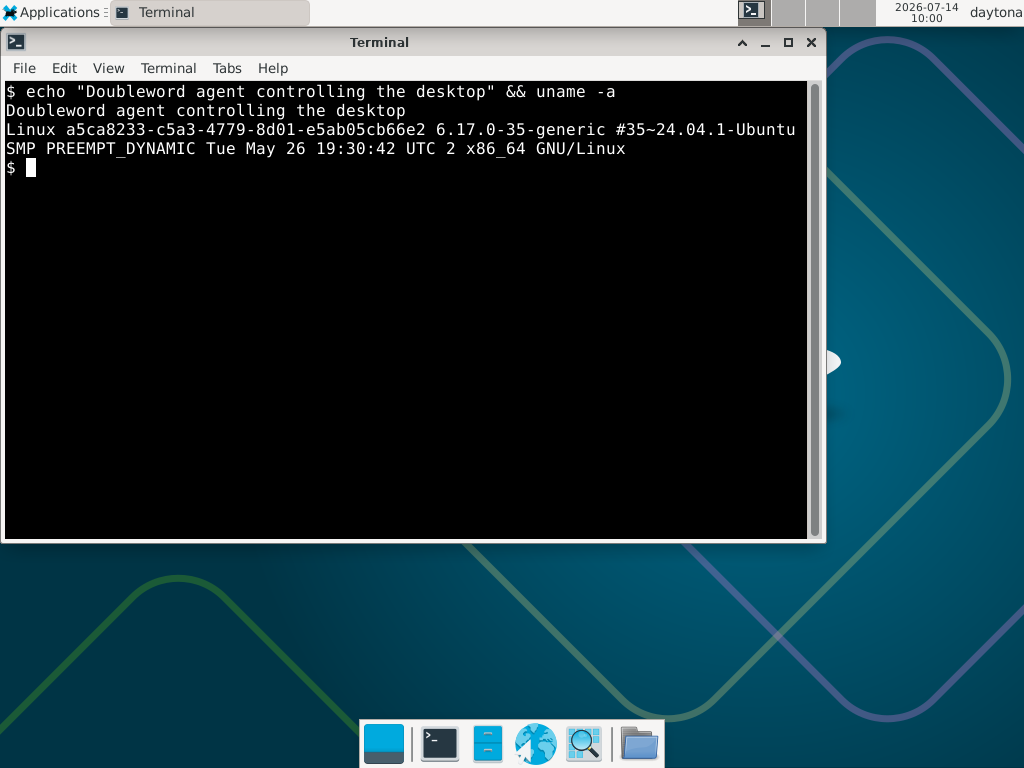
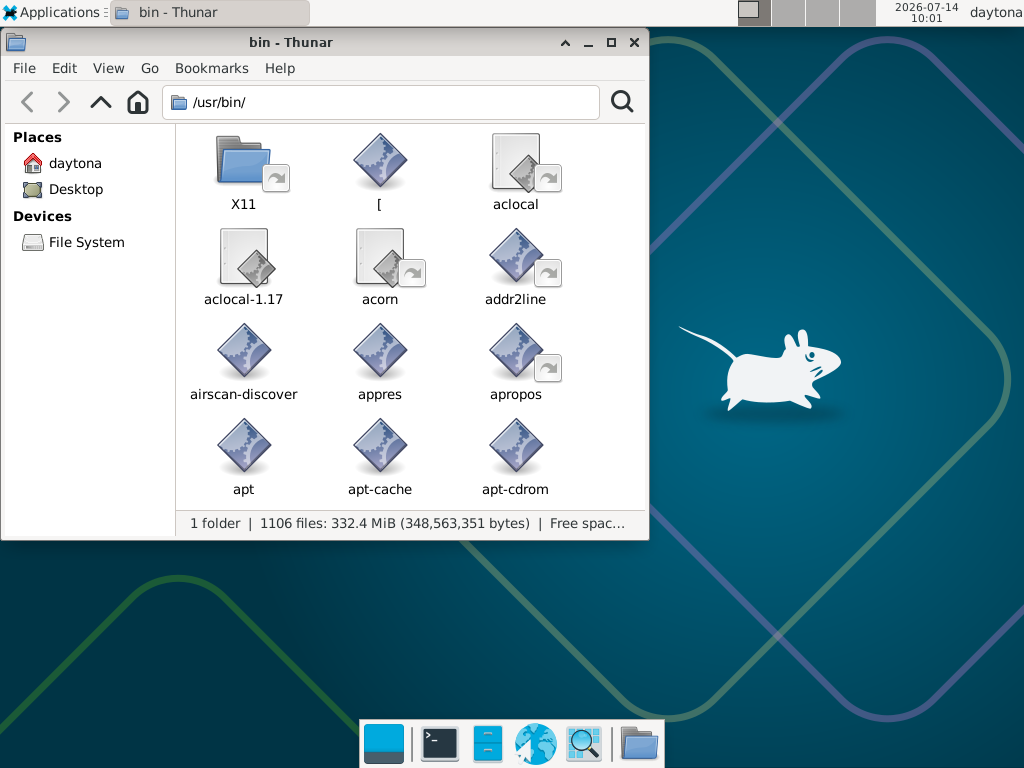
This setup isn't just for scripting. Each Daytona sandbox can run a full desktop, with a computer-use API that drives the mouse and keyboard and captures screenshots.
An agent can open an app, click through it, and type into it, while a verifier checks the final state and scores it. Below, Doubleword's agent opened a terminal on a Linux desktop spun up by Daytona, executed a command, and browsed the filesystem.
The whole API is a handful of calls:
sandbox = daytona.create()
try:
    sandbox.computer_use.start()
    screenshot = sandbox.computer_use.screenshot.take_full_screen()
    windows = sandbox.computer_use.display.get_windows()
    sandbox.computer_use.keyboard.type("hello from the agent")
finally:
    sandbox.computer_use.stop()
    sandbox.delete()
(Windows desktops are supported as well, per Daytona's documentation.)
Everything above runs generated Python, but because the sandbox is a full computer, an agent can reach for any tool a human would. In the example below, the agent has Chromium open on the Doubleword GitHub and a terminal running the dw CLI, both installed inside the sandbox.
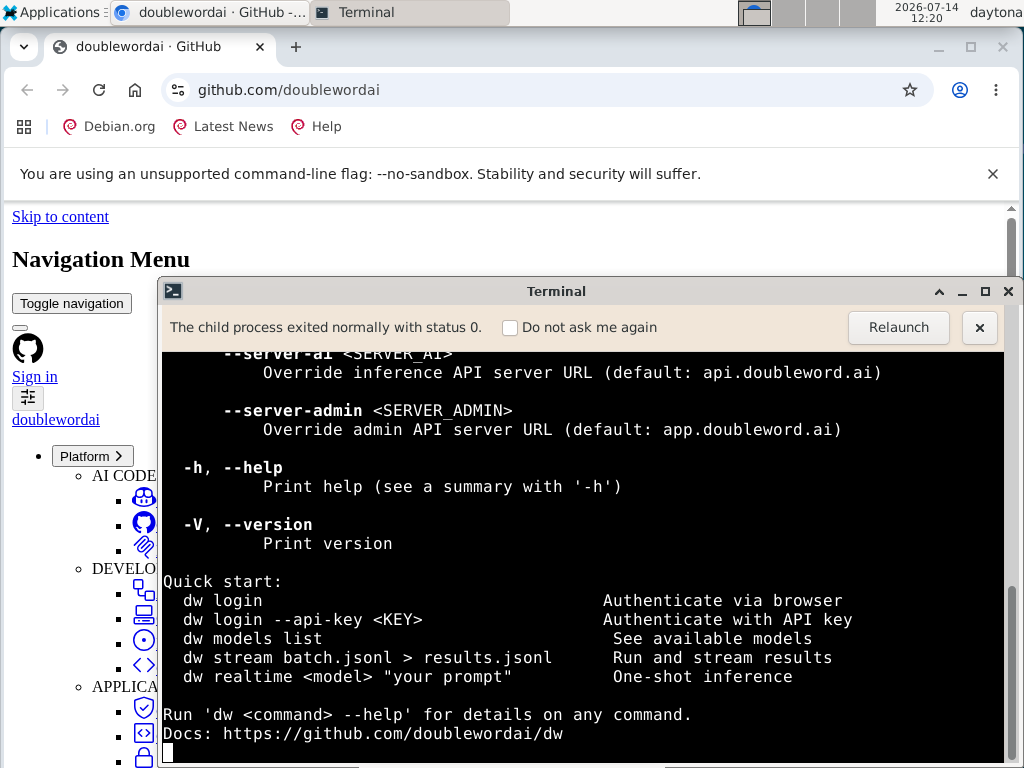
It doesn't matter what the agent touches. A browser, a CLI, an untrusted binary pulled off the web: it all stays behind Daytona's isolation boundary.
Prompt caching
Every example above resends the same preamble. Caching needs chat.completions, so this variant of write_code swaps the endpoint and keeps service_tier="flex":
def write_code(task: str) -> str:
    res = llm.chat.completions.create(
        model="Qwen/Qwen3.5-397B-A17B-FP8",
        service_tier="flex",
        messages=[
            {"role": "system", "content": [{
                "type": "text",
                "text": STYLE_RULES,
                "cache_control": {"type": "ephemeral", "ttl": "1h"},
            }]},
            {"role": "user", "content": task},
        ],
    )
    return re.sub(r"^```[a-z]*\n|\n```$", "", res.choices[0].message.content.strip())
The first call writes the prefix and every later call reads it back. The trade is that you lose background=True. It's a Responses API feature and there's no chat equivalent. You either block on the call or fan out with the ThreadPoolExecutor from section 3.
Watch the size floor. The instructions string in section 1 is about twenty tokens, nowhere near the roughly 1024 tokens caching needs. The marker pays off once STYLE_RULES is large, holding house style, banned imports or repo context.
See the prompt caching guide.
Next Steps
You now have a coding agent that thinks cheaply on Doubleword and runs safely on Daytona, and you don't have to run any infrastructure yourself.
To take this further:
- Use the OpenAI Agents SDK: it runs natively against Doubleword and ships with a Daytona sandbox client, so you can build this loop inside a full agent framework.
- Stateful workflows: keep a sandbox alive across steps so state persists between
code_runcalls.
Grab a Doubleword API key and a Daytona API key to start building today.